Pyodide
Lonboard works in Pyodide, which runs Python inside your web browser with WebAssembly. That includes JupyterLite, a Jupyter environment that needs no server and no install.
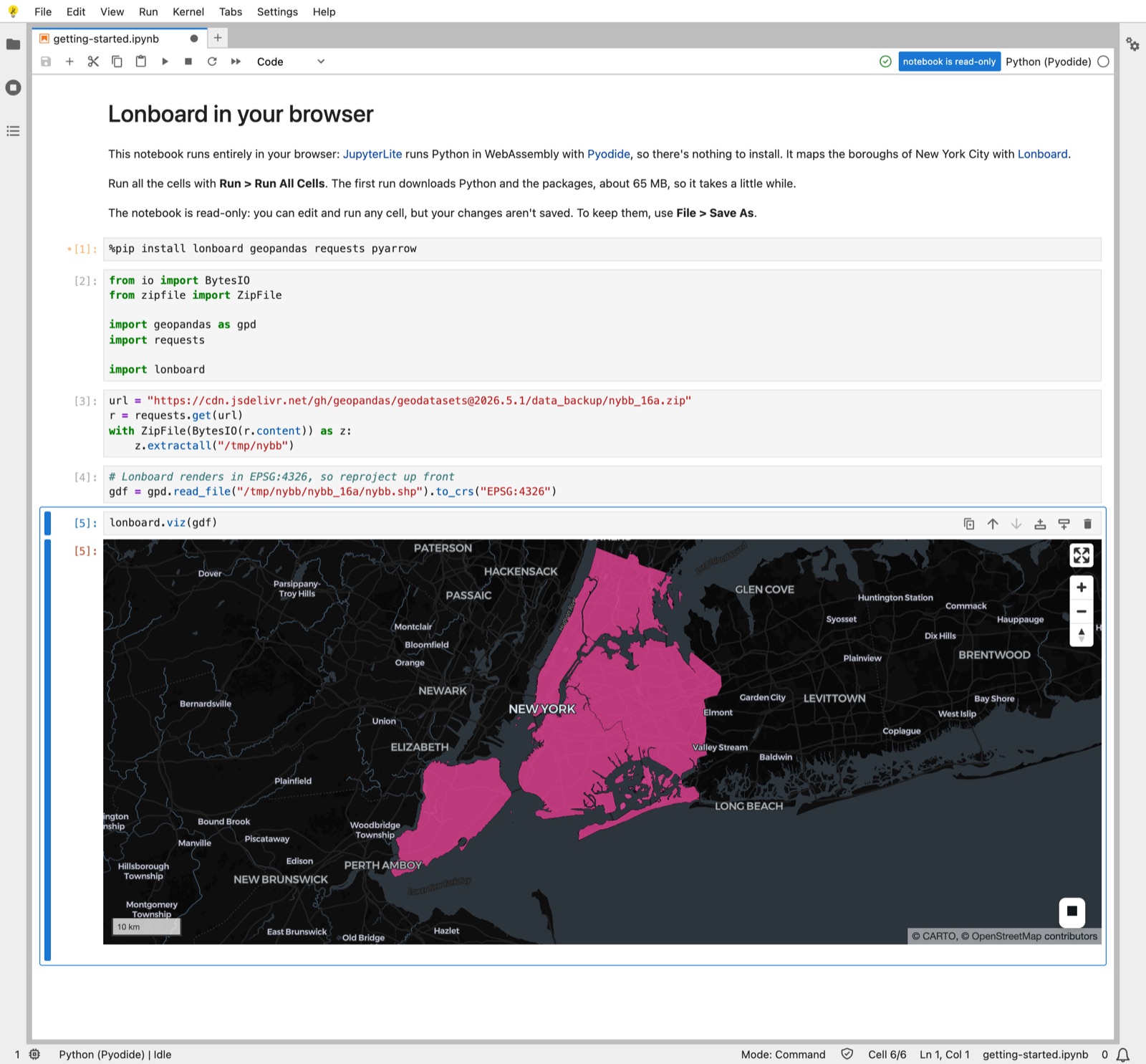
The demo notebook installs Lonboard and maps the boroughs of New York City:
%pip install lonboard geopandas requests pyarrow

from io import BytesIO
from zipfile import ZipFile

import geopandas as gpd
import requests

import lonboard

url = "https://cdn.jsdelivr.net/gh/geopandas/geodatasets@2026.5.1/data_backup/nybb_16a.zip"
r = requests.get(url)
with ZipFile(BytesIO(r.content)) as z:
    z.extractall("/tmp/nybb")

gdf = gpd.read_file("/tmp/nybb/nybb_16a/nybb.shp").to_crs("EPSG:4326")
lonboard.viz(gdf)
What to expect
- The first run downloads Python and any dependencies. Your browser caches them for repeat visits.
- The notebook is read-only. You can edit and run any cell, but your changes are lost when you reload, and your browser warns you before you leave. To keep them, use File > Save As, then choose Discard when JupyterLite asks about
getting-started.ipynb.
Installing packages
Install packages with %pip install in a notebook cell:
- Pure-Python packages work as they are. Packages with compiled code need wheels built for Pyodide, either included in Pyodide or published on PyPI.
- Lonboard needs
pyarrowto read a GeoDataFrame, so install it alongside. %pip install --pre lonboardinstalls the latest pre-release, if you want to try a beta.
Memory limits
Pyodide has stricter memory limits than normal Python environments. Take care to delete Python objects you're no longer using with del.