deck.gl-raster v0.4

deck.gl-raster is enabling GPU-accelerated GeoTIFF and Cloud-Optimized GeoTIFF (COG) visualization in deck.gl.
Here's what's new in v0.4.
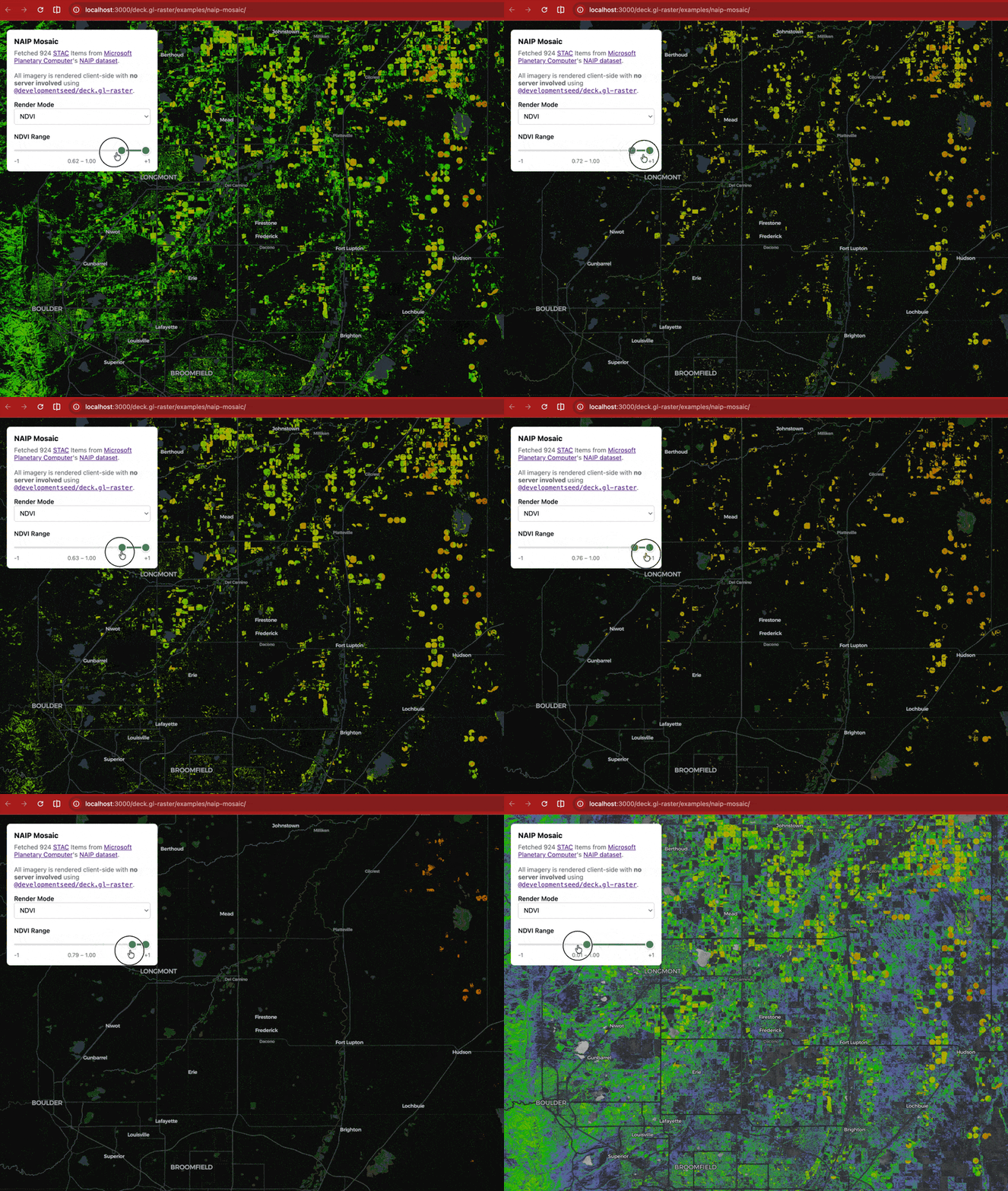
Updated Example: NDVI filtering on demand
Our NAIP Mosaic example visualizes the National Agriculture Imagery Program dataset from Microsoft Planetary Computer.
Since NAIP data contains a near-infrared band in addition to true-color red, green, and blue, we can render spectral indexes like Normalized Difference Vegetation Index (NDVI).
NDVI has a pretty simple formula:
Since we have the raw values of the near-infrared and red bands in the browser, we can compute NDVI on the GPU and then apply a colormap to convert the single value to an RGB color palette.
We've updated the example to also enable GPU-based filtering. Drag the slider to control what values of NDVI are displayed. This updates extremely fast because it's all on the GPU.
Render coarser image data while loading finer data
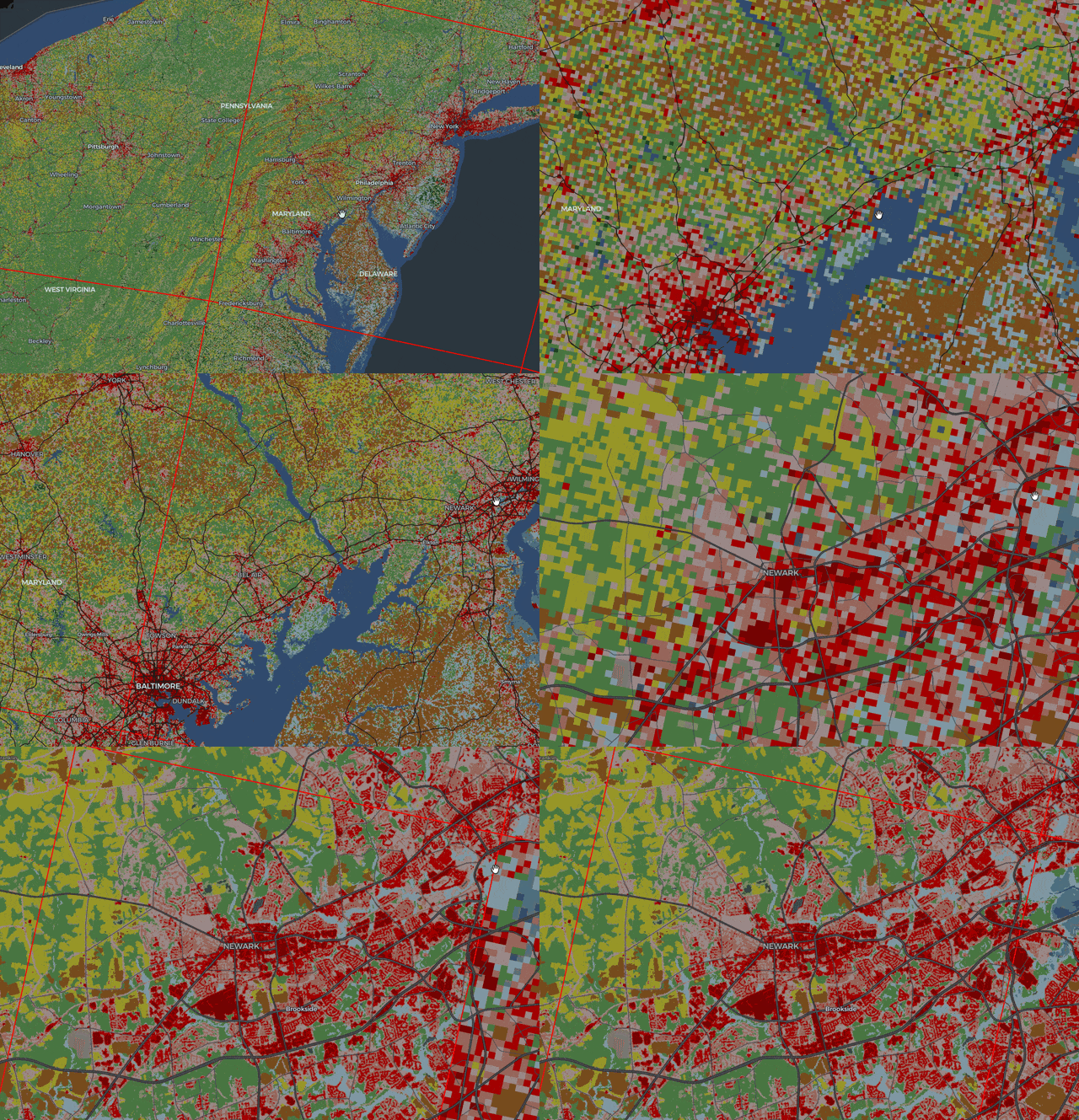
Previously, when zooming in on a map, there would be a "blank" period: after a parent, coarser image tile was no longer selected for display, but before the child, finer image tile had successfully loaded over the network.
Now, we support the deck.gl refinementStrategy prop. This gives the user control for refining which tiles are visible while waiting for all tiles to load.
In this screenshot of the NLCD Land Cover example, you can see the lower-resolution data is still rendered while waiting for the higher resolution data to load. (The red rectangular outlines are the boundaries of the COG tiles)
Fixed projection handling at high latitudes
Previously there could be an incorrect latitude adjustment at high/low latitudes, especially for images stored in EPSG:4326 projection.
| Before | 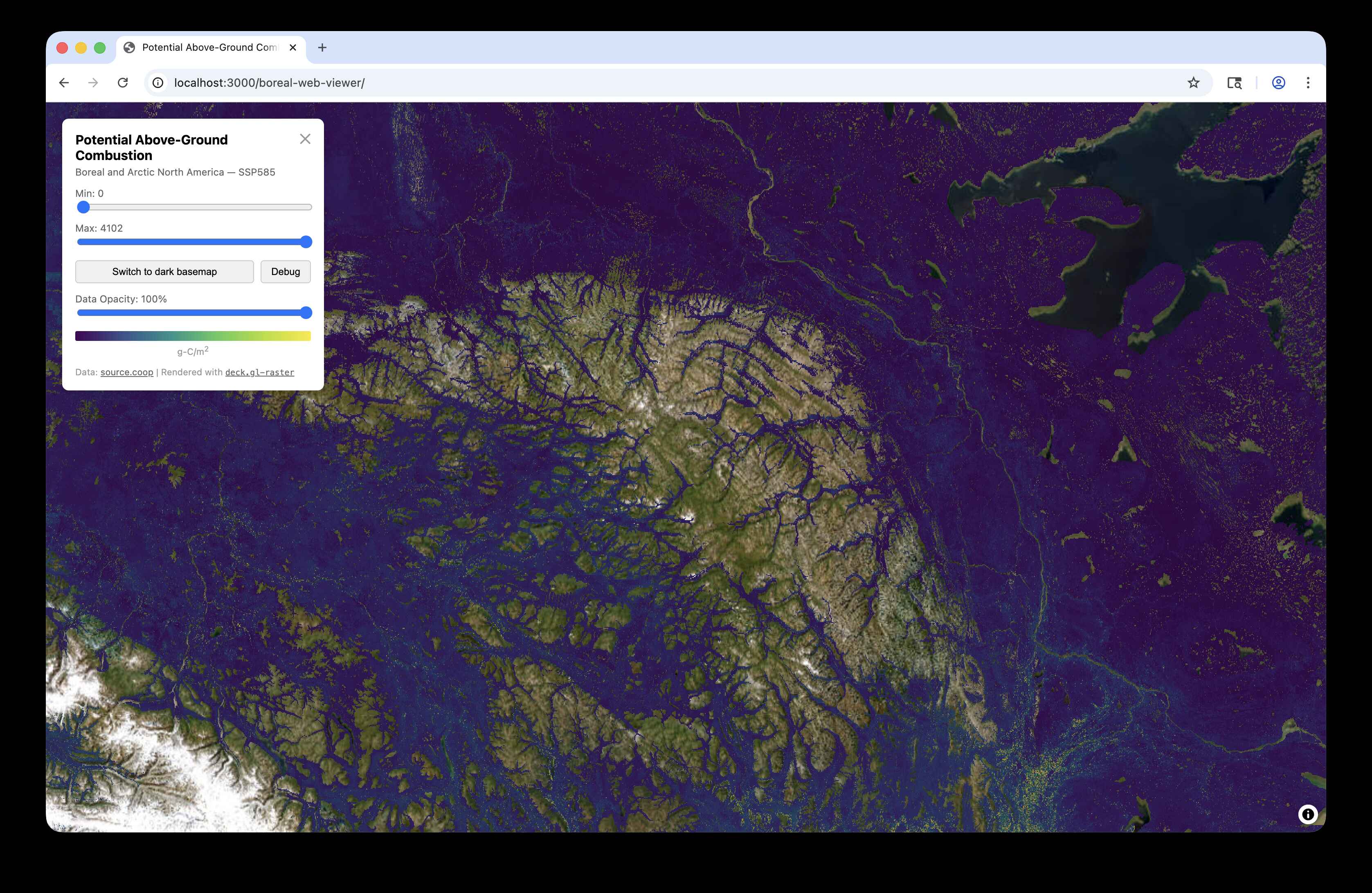 |
| After |  |
Image credit Max Jones in #41 (comment).
Avoided crash when rendering of images beyond latitude
Previously, deck.gl-raster would crash if you tried to render images that extend past the valid Web Mercator latitude range of . It should now render correctly. (Though in the Web Mercator view, such images will be clamped to the valid latitude range.)
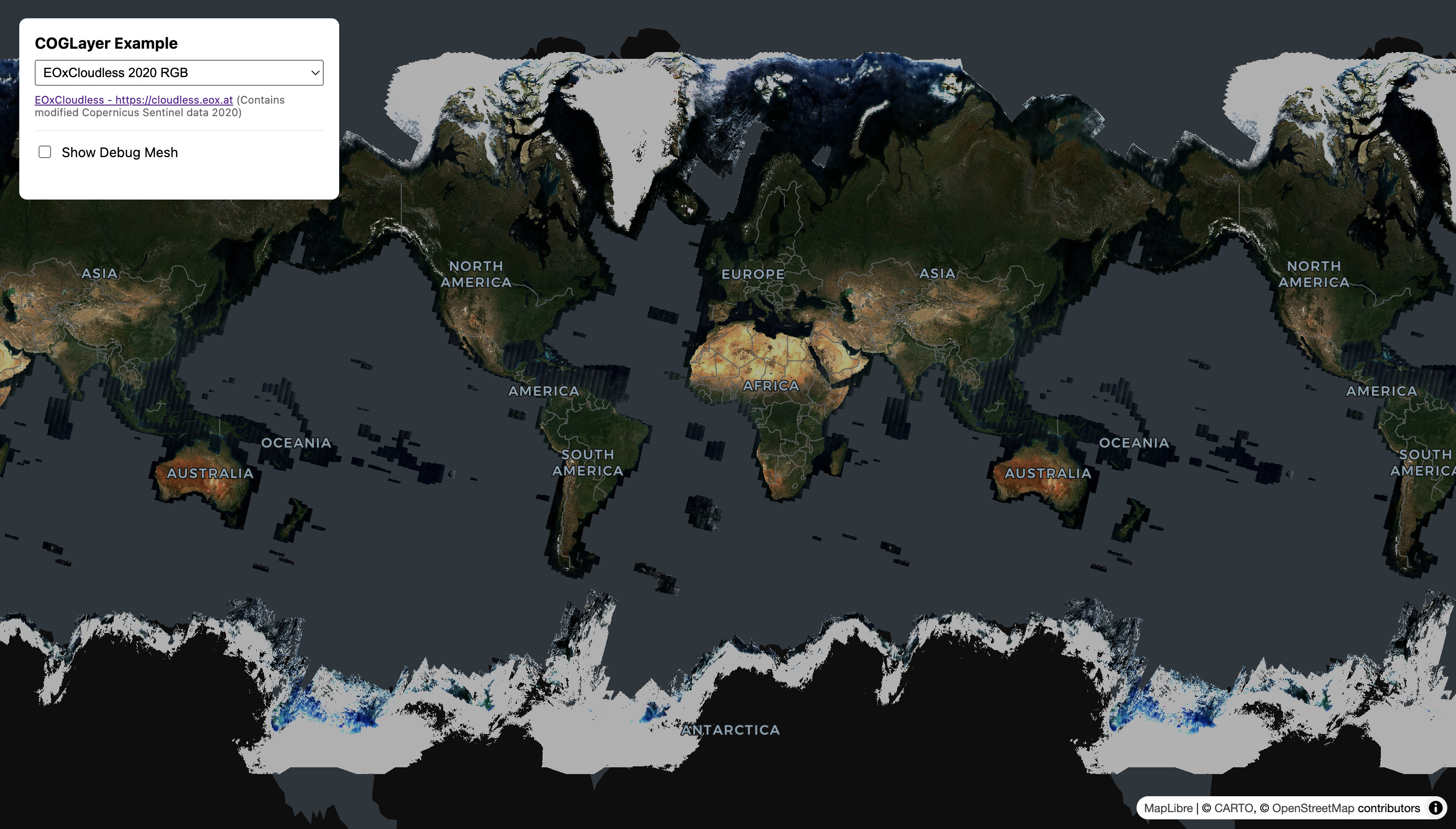
This is mostly useful when viewing global imagery in EPSG:4326 projection, such as this screenshot of the RGB GeoTIFF example, selecting the image sample from EOxCloudless.