Initial GeoZarr support

A new ZarrLayer now supports rendering and animating Zarr and GeoZarr datasets in deck.gl. This is GPU-based and fully client-side, without a server. See example.
Initial GeoZarr support
The new ZarrLayer manages loading and rendering data chunks from Zarr and GeoZarr data sources.
- The
ZarrLayerconnects to a deck.glTileLayer, ensuring that only chunks visible in the current map viewport will be loaded and rendered. - The
ZarrLayerwill automatically look for and use any available GeoZarr conventions, including the spatial, multiscales, and geo-proj conventions.
Our Zarr support is designed around Zarrita, the modern standard for Zarr on the web.
We have two new public modules:
-
deck.gl-zarr: Manages connection between deck.gl rendering and Zarr chunks. -
geozarr: A helper library for parsing GeoZarr metadata. This is used inside ofdeck.gl-zarrand most users won't need to depend on this directly.For now, we assume that input Zarr datasets will contain GeoZarr metadata, but in the future, this will be extended to infer geospatial metadata where possible, such as from CF-conventions.
The ZarrLayer API may change a bit in the future. Feel free to provide feedback through issues or discussions.
Dimension management
Zarr data can have any number of dimensions. This makes it complex to visualize, since most visualization approaches require dimensionality reduction to 3 or 4 dimensions.
Currently, the ZarrLayer requires the user to explicitly define a Zarrita selection for all non-spatial dimensions. Then, as the user pans around the map, the ZarrLayer will inject the relevant coordinates for the two spatial dimensions for each chunk requested in the current viewport.
In the future, we may also support chunking over non-spatial dimensions, see #457.
Example: ECMWF temperature forecasts
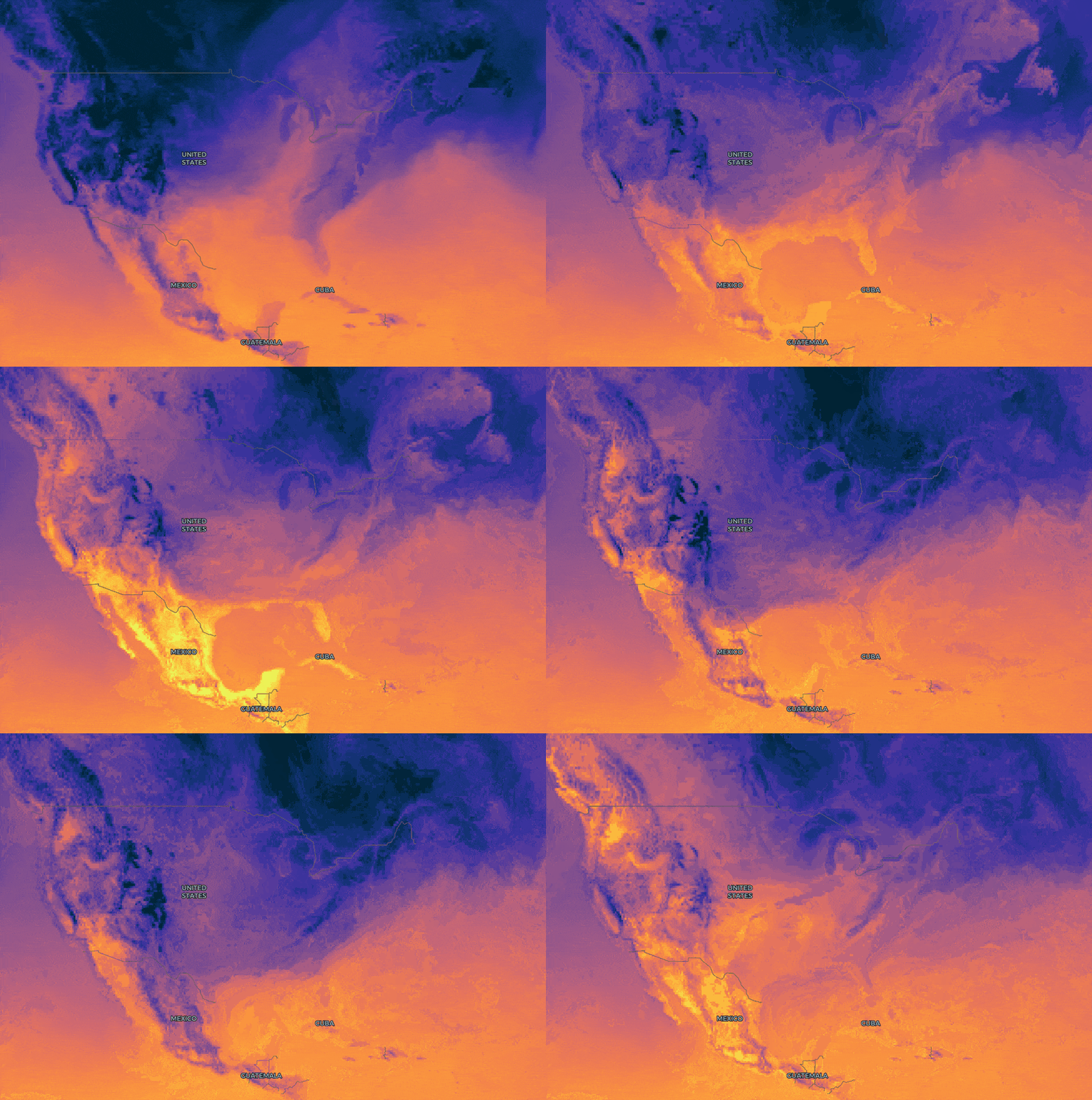
We have a new example for visualizing temperature forecasts over time, using ECMWF data hosted by Dynamical.
Each Zarr chunk fetched to the browser contains a 15-day temperature forecast, allowing for animation over the time dimension.
Since the rescaling and colormaps are applied on the GPU, you can modify visualization parameters, even while the animation is playing.
This data source does not supply multiscales, so data may be slower to load as you zoom out.
Example: AlphaEarth Foundations Satellite Embeddings
We also have a new example for visualizing Google's AlphaEarth Foundations Satellite Embeddings.
This loads GeoZarr data directly from the aef-mosaic bucket on Source Cooperative.
Each embedding contains 64 bands per pixel. For now, our example app lets you choose three of them to render as RGB false color. In the future we may add support for other rendering approaches like cosine similarity to selected pixels. Have ideas? Let us know in an issue or discussion.
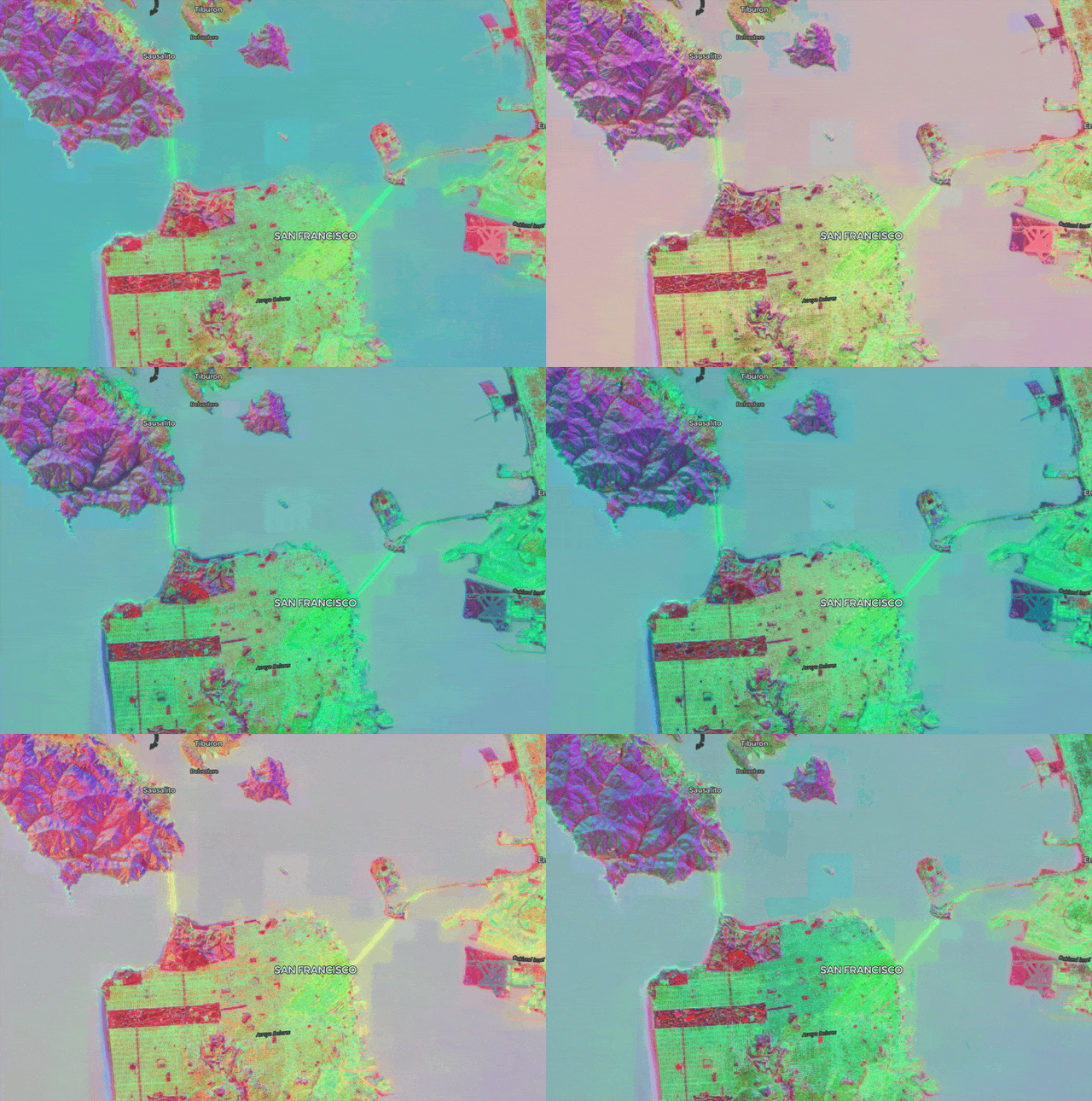
This data source does not supply multiscales, so data may be slower to load as you zoom out.
Improved efficiency for colormap selection
The updated Colormap GPU module allows applications to seamlessly switch between colormaps on the fly, with no pausing or flashing. You can see this in the ECMWF temperature example or the NAIP mosaic example (selecting NDVI mode).
deck.gl-raster applies colormaps on the GPU as a "lookup table". Think of a single color bar ranging from left to right:

With the color-map, we can map numeric values from a range to a color. If our numeric range is, say, [0 - 1], then assign 0 to the left side of the image and 1 to the right side of the image. Consequently a value of 0.5 would map to the middle of the colormap, and so on.
Performing this lookup is a very efficient process on the GPU.
But let's say you have an application where you don't know what color ramp the user might want to use. A naive approach would be to manage all possible color ramps as different GPU resources. But this would be inefficient given the number of colormaps users might want to choose from.
Instead, we can use the concept of sprites. The general idea is: instead of representing many icons or images with many small, independent files, ship them all as one single image, alongside an index that keeps track of which image part is in which pixel region.
This is what the improved Colormap GPU module supports. The default colormap image now includes all Matplotlib's colormaps, compressed into a single 16KB image:
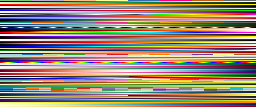
Then the module automatically manages which bar to read from when applying the lookup table.
New RasterTileLayer for rendering tiled raster data from any source
We have a new RasterTileLayer abstraction that underlies both the COGLayer and the ZarrLayer. Besides cleaner internal architecture, this allows for applications to render image data from any tiled source without being tied to COG or Zarr.
Essentially, COGLayer and ZarrLayer are now just small shims on top of the RasterTileLayer to manage COG and Zarr semantics for loading data chunks.
For example, Lonboard uses this layer to provide chunked image data on demand that is loaded by Python-based COG and Zarr readers.
We also have a work-in-progress demo that uses this layer to load image tiles from a backend titiler instance.
Support for COGs with rotated or non-square pixels
#480 changed the internal tile grid representation for COGs to not use OGC TileMatrixSets.
This ensures that we can accurately render COGs with a rotated affine transform (#327) or with non-square pixels (#375).
Future Work
We're brainstorming the architecture for supporting visualization of generic Zarr and Xarray datasets through Lonboard.